
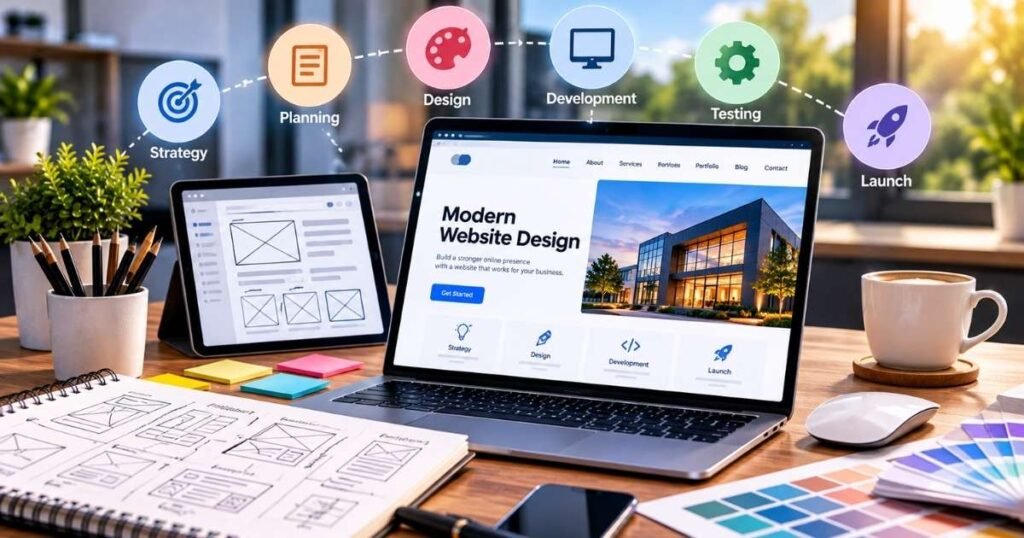
A successful website does not happen by accident. It starts with a clear plan, good communication, strong design choices, useful content, and careful testing. Whether you are building a website for the first time or improving an existing one, following a clear web design process can save time and reduce common problems.
For small businesses, a website is more than an online brochure. It can help people find your business, understand your services, contact you, request a quote, or make a purchase. A well-planned website can also support SEO, local search visibility, and long-term digital growth.
Why Is a Clear Web Design Process Important?
A clear web design process gives everyone involved a better understanding of what needs to happen and when. Without a plan, website projects can become confusing. Content may be missing, pages may be added at the last minute, and important features may not be tested properly.
A strong process starts with business goals. Before choosing colors, fonts, images, or layouts, you should know what the website needs to accomplish.
For example, a local service business may want more phone calls and quote requests. An e-commerce business may want more product sales. A professional company may want to build trust and generate leads.
The design should support that goal.
1. Start With Clear Website Goals
The first step is to decide what you want your website to do.
Ask simple questions:
- Do you need more leads?
- Do you want more phone calls?
- Do you want customers to book appointments?
- Do you want to sell products online?
- Do you want to improve Google rankings?
- Do you need a stronger brand presence?
Your answers help shape the rest of the project.
A website designed for lead generation will have different page layouts and calls to action than an online store. Defining the goal early helps prevent unnecessary work later.
2. Understand Your Target Customers
A website should be built for the people who will actually use it.
Think about your ideal customer. What are they looking for? What problems do they have? What questions do they ask before buying?
For example, someone searching for “website development company Holland MI” may already be looking for a local provider. They may want to see services, examples of previous work, pricing information, reviews, and an easy way to contact the company.
Understanding search intent helps you create useful pages instead of simply filling the website with general information.
3. Plan the Website Structure Before Design
A website needs a clear structure before the visual design begins.
Common pages may include:
- Home
- About
- Services
- Service detail pages
- Portfolio
- Blog
- Contact
- FAQ
E-commerce websites may also need product pages, category pages, shopping cart pages, checkout pages, shipping information, and return policies.
A good structure makes navigation easier for users and helps search engines understand how the website is organized.
4. Build an SEO-Friendly Page Plan
SEO should not be added only after the website is finished.
Each important page should have a purpose and target keyword.
For example:
- Web Design Services
- Website Development Holland MI
- SEO Services
- Local SEO Services
- E-Commerce Website Development
- Shopify Website Development
- WordPress Website Development
Keywords should match the page topic and the search intent behind them.
Do not force keywords into every sentence. Instead, create useful content that naturally answers what customers are searching for.
Google also looks at the overall quality and experience of a page, including mobile usability, security, Core Web Vitals, and whether the page is easy to use.
5. Keep the Design Simple and Clear
Good web design does not need to be complicated.
Visitors should quickly understand:
- What the business does
- Who it serves
- Why it matters
- What they should do next
Use clear headings, readable text, useful images, and strong calls to action. Avoid adding too many animations, pop-ups, colors, or design elements that distract from the main message. Simple design often makes a website easier to use.
6. Make Mobile Design a Priority
Many customers visit websites from smartphones. A website that looks great on a desktop but is difficult to use on a phone can lose potential customers.
Check:
- Font size
- Button size
- Menu navigation
- Image size
- Page spacing
- Contact forms
- Product layouts
- Checkout screens
Every important action should be easy to complete on a smaller screen.
Mobile-friendly design is also an important part of providing a good overall page experience.
7. Create Strong Website Content
Design gets attention, but content explains your business.
Every major page should answer customer questions in simple language.
For service pages, explain:
- What the service is
- Who needs it
- What the process looks like
- What benefits customers can expect
- Why your company provides the service
- How customers can get started
Avoid using complicated industry language when simple words will work better.
Strong content can also help your website target relevant Google search keywords.
8. Add Clear Calls to Action
A visitor should know what to do next.
Examples include:
- Get a Free Quote
- Request a Consultation
- Call Today
- Book a Strategy Call
- View Our Services
- Shop Now
- Contact Us
Do not make customers search for your contact information.
Place calls to action naturally throughout important pages, especially after explaining a service or product.
9. Test Everything Before Launch
Testing is one of the most important parts of the web design process.
Before launch, check:
- Contact forms
- Phone links
- Email links
- Navigation
- Buttons
- Images
- Mobile layouts
- Desktop layouts
- Page speed
- Broken links
- Product checkout
- Payment systems
- Search functionality
- SEO titles
- Meta descriptions
- Image ALT text
A website can look finished while still having small problems that affect users.
Testing helps find those problems before customers do.
10. Plan for SEO and Website Growth After Launch
Launching a website is not the end.
Your website may need regular updates, new content, SEO improvements, security updates, performance checks, and new landing pages.
A blog can help you answer customer questions and target long-tail search terms. New service pages can help expand your search visibility. Local content can support location-based searches.
SEO is a long-term process, so your website should be built with future growth in mind.
How Can You Make the Web Design Process Easier?
The easiest way to keep a website project organized is to treat it as a step-by-step process.
Start with strategy. Then plan the structure, create content, design the pages, develop the website, optimize it for search, test everything, and finally launch.
Clear communication is also important. Business owners should provide content, images, brand information, service details, and feedback as early as possible. This helps reduce delays.
A professional web design process should also leave room for improvement after launch. Analytics and Search Console data can show which pages receive traffic and where users may need a better experience.
Why Does Web Design Matter for Google Rankings?
Web design and SEO are connected.
A clean website structure can make it easier for search engines to understand your pages. Fast loading times can improve the user experience. Mobile-friendly layouts make the site easier to use. Clear headings and useful content can help match pages with search intent.
However, design alone does not guarantee Google rankings.
A successful SEO strategy also needs keyword research, quality content, technical SEO, internal links, local SEO when relevant, and ongoing improvements.
EchoWings Media combines website development with SEO and GEO services so businesses can build websites that are designed not only to look professional but also to support search visibility and growth.
Common Web Design Mistakes to Avoid
Some website problems appear again and again.
Avoid:
- Starting without a clear goal
- Designing before planning the content
- Ignoring mobile users
- Using too many design elements
- Hiding contact information
- Using weak calls to action
- Forgetting SEO
- Publishing pages with little useful information
- Skipping testing
- Never updating the website after launch
Avoiding these mistakes can make the entire project easier.
Frequently Asked Questions
Q. How long does a web design process take?
A. The timeline depends on the size and complexity of the website. A simple business website may take less time than a large website with many pages, custom features, or e-commerce functions.
Q. Should SEO be included during web design?
A. Yes. SEO should be considered from the beginning so the website structure, content, page titles, headings, images, and technical setup can support search visibility.
Q. What makes a website user-friendly?
A. Clear navigation, readable content, fast loading, mobile-friendly design, useful information, and simple calls to action all help create a better user experience.
Q. Can an existing website be redesigned?
A. Yes. A website redesign can improve its visual style, content, mobile experience, speed, navigation, SEO foundation, and conversion opportunities without starting every part from zero.
Final Thoughts
A smooth web design process starts with planning and continues through design, development, SEO, testing, and ongoing improvement. When each step has a clear purpose, businesses can create websites that are easier to use and better prepared for long-term growth.
If you want a professional website built around your business goals, EchoWings Media provides website development, SEO & GEO, branding, e-commerce development, and ongoing website maintenance. Visit echowingsmedia.com or use the Contact option to discuss your project and find the right digital growth strategy for your business.